
Trying to promote affiliate products with YouTube Shorts, only to discover that nobody can click your links?
You are not doing anything wrong with the URL. YouTube deliberately makes ordinary website links in Shorts descriptions and comments non-clickable.
The good news? There are still legitimate ways to guide viewers from a Short to your website or an affiliate offer.
I recently had to solve this exact problem on my own YouTube channel, AI Funnel Studio. Here is what worked, what did not, and what I would do differently if I were starting today.
Why Are YouTube Shorts Affiliate Links Not Clickable?
YouTube’s official guidance on sharing links is clear: URLs in Shorts descriptions and comments are not clickable. That includes pinned comments.
The rule was introduced to reduce spam and scams, and it still applies in 2026.
This is different from ordinary, long-form YouTube videos, where external links in descriptions can be clickable if the channel has access to advanced features.
So if you paste an affiliate URL under a Short and wonder why viewers are not visiting your offer, the placement itself could be part of the problem.
A shortened URL or a different domain will not turn that non-clickable text into a clickable link.
For beginners exploring affiliate marketing, I recommend understanding the customer journey before producing dozens of videos.
I am personally building my business with ClickBank Profit Club, which offers a free way to explore its training, with optional paid upgrades.
But even a good offer needs a route people can actually follow.
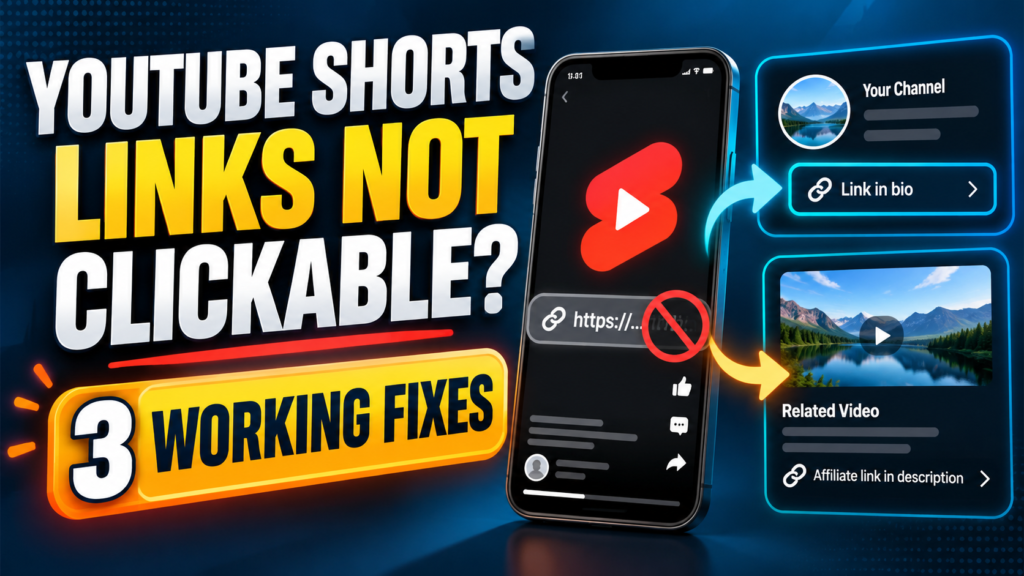
Fix 1: Put Your Affiliate Destination in Your Channel Profile
This is the simplest starting point, and it is the approach I have implemented myself.
On my AI Funnel Studio channel, I added a website link to my YouTube profile and checked that it appeared publicly.
Instead of asking viewers to click an inactive URL in the Shorts description, I can now direct them to my channel profile.
Here is how to set it up on a computer:
- Open YouTube Studio and select Customization.
- Select Profile, then scroll to Links.
- Choose Add link and enter a clear title plus your destination URL.
- Click Publish, then open your public channel to check how the link appears.
YouTube allows up to 14 profile links, but the first is displayed most prominently near the Subscribe button.
That makes your first choice important.
These steps are confirmed in YouTube’s channel-profile instructions.
I would rather feature one clearly labeled, relevant destination than overwhelm viewers with a long collection of offers.
A helpful article or focused landing page can be a better first stop than a generic sales pitch.
A simple Short call to action:
“Want the free beginner training? Open my channel profile and tap the first link.”
Make that instruction part of the video itself. Many viewers will never expand the description.
Fix 2: Use a Related Video as a Bridge
YouTube has another useful feature: you can attach a related video to a Short.
Viewers see a clickable link below your channel handle, which takes them to another video on your channel.
The important distinction is that this is a link to YouTube content, not directly to an outside affiliate website.
Here is a practical funnel:
- Publish a Short answering one quick question about a product or problem.
- Link it to a longer tutorial or review that gives viewers the full answer.
- Put your relevant website or affiliate link in the longer video’s description, where external links can be clickable when advanced features are enabled.
For example, a 25-second Short might explain why beginners struggle to get affiliate traffic.
The related video could show the entire content-and-traffic workflow, with the next step clearly explained in its description.
To add a related video, open YouTube Studio → Content, select your Short, choose Related video and save.
You need access to YouTube’s advanced features, and the selected video must be public or unlisted.
YouTube explains the requirements in its Related Video help page.
This approach asks viewers to take an extra step, but the longer video also gives you more room to build trust before asking for a click.
Fix 3: Change Your Call to Action and Measure the Journey
A technically working link is not the same as a successful traffic strategy.
I have experimented with short-form content across YouTube, TikTok and Instagram.
One lesson has become especially clear:
Views alone do not tell me whether the right people reached my website.
Instead of ending every Short with a vague “link below,” I now favor a specific next step:
- Weak: “Check the link in the description.”
- Better: “Open my channel profile and tap the first link.”
- Better for a tutorial: “Tap the related video to see the full walkthrough.”
Next, make the destination match the video.
If your Short promises a beginner tutorial, a page explaining the first steps makes more sense than dropping the viewer into an unrelated offer.
Where possible, use a tagged link to your own website, then examine visits and engaged sessions in your analytics.
A UTM parameter such as utm_source=youtube&utm_medium=profile can help distinguish visits from your YouTube profile from other traffic.
Test the final link on a phone as well as on your computer.
I am also using a broader, repeatable approach to promotion rather than depending on one platform.
If you want to see the process, I have shared my 30-day affiliate marketing traffic plan.
For people who want more guidance on organizing an online business around content, email and offers, I have also invested in the Coaching Profit System.
Neither a course nor an affiliate link replaces testing what your audience responds to.
What I Would Avoid
Do not rely on pinned comments.
YouTube treats ordinary URLs in Shorts comments as non-clickable, even if you pin them.
Do not assume every viewer will copy a URL.
Some may, but it introduces friction, especially on mobile.
Do not promise that every Short will generate sales.
A few thousand views can be encouraging, but without clicks, qualified visitors and conversions, view counts are only one piece of the picture.
Do not forget disclosure.
If you may earn a commission from a recommendation, tell your audience clearly. Follow YouTube’s policies and the applicable advertising rules wherever your viewers are located.
Frequently Asked Questions
Can I Put a Clickable Affiliate Link in a YouTube Shorts Description in 2026?
No. Ordinary URLs in Shorts descriptions and comments are non-clickable.
Use a channel-profile link or guide viewers to a related video with an eligible external link in its description.
Do I Need 1,000 Subscribers to Add a Channel-Profile Link?
YouTube’s current instructions for channel-profile links do not state a 1,000-subscriber requirement.
You can add a link in YouTube Studio under Customization → Profile → Links, subject to YouTube’s policies.
Can I Add a Related Video Without Advanced Features?
No. According to YouTube, the related-video feature requires advanced feature access.
Check your channel’s feature eligibility in YouTube Studio.
Will Adding a Channel Link Guarantee Affiliate Sales?
No.
It removes one obstacle: people have somewhere clickable to go.
Whether they act depends on the audience, the video, the offer and the page they reach.
My Takeaway
One useful change I made was surprisingly simple:
I stopped treating the Shorts description as if it worked like a regular YouTube description.
I added a visible link to my AI Funnel Studio channel profile and adjusted the instructions I give viewers.
If your YouTube Shorts affiliate links are not clickable, start with the basics: fix the path, explain the next step clearly, and measure real visits rather than judging everything by views.
That is a more sustainable foundation than hunting for a shortcut.
Want to Explore the Next Step?
If you are new to affiliate marketing, ClickBank Profit Club is one of the programs I use.
You can explore the free introductory training before deciding whether any optional paid upgrade is right for you.
If you are looking for a more structured way to build an online business, you can also explore the Coaching Profit System, which I have purchased myself.
As with any training, your results will depend on the work you put in and how you apply what you learn.
Affiliate disclosure: Some links in this article are affiliate links. If you choose to purchase through them, I may earn a commission at no additional cost to you. My recommendations and experiences are my own, and results are not guaranteed.